
Shark Dive FAQs Block
The Shark Dive FAQs Block is a specialized component for displaying a list of frequently asked questions and their answers related to the shark dive experience. It uses an accordion-style layout, allowing users to easily expand and collapse answers.
Content Editor Fields
This block displays content that is created and managed in a "Shark Dive FAQs" section of the WordPress admin. It is assigned to "Dives Page Template", all fiedls show underneath the Hero Banner. You can also add in as a block in other pages.
Block-Level Fields
-
Shark Dive Heading:
- Description: The main title displayed above the list of FAQs.
- Usage: Enter a heading for the section, for example, "Shark Dive FAQs".
- Requirement: Optional.
-
Shark Dive FAQs:
- Description: A relationship field where you select which FAQ posts to display.
- Usage: Search for and select one or more Shark Dive FAQs posts that you have already created. The block will display them in the order you select them.
- Requirement: At least one Shark Dive FAQs post must be selected for the block to appear.
"Shark Dive FAQs" Post Fields
To create the content for this block, you first need to go to the "Shark Dive FAQs" custom post type in the WordPress admin menu and create a new entry. The fields for each entry are:
-
Title (Standard WordPress Title):
- Description: The question part of the Shark Dive FAQ.
- Usage: Enter the question that users frequently ask (e.g., "Am I a qualified diver after completing the dive?").
- Requirement: Required.
-
Content (Standard WordPress Editor):
- Description: The answer to the question.
- Usage: Use the main content editor to write the detailed answer. You can use formatting like bold text, lists, and links.
- Requirement: Required.
Example Usage:
Steps:
-
Create the Shark Dive FAQ Content:
- In the WordPress admin, navigate to the "Shark Dive FAQs" post type.
- Click "Add New".
- Enter the question in the Title field: "Am I a qualified diver after completing the dive?"
- Enter the answer in the main Content editor: "No, our experience is a Discover Scuba Dive, therefore there is no qualification attached. You can, however, use your dive log towards becoming qualified."
- Publish the FAQ post. Repeat for all other relevant questions.
-
Add the Block to a Page:
- Edit the page where you want to display the FAQs (e.g., the Shark Dives page).
- Insert the Shark Dive FAQs Block.
- In the block's Shark Dive Heading field, enter "Shark Dive FAQs".
- In the Shark Dive FAQs field, search for and select "Am I a qualified diver after completing the dive?" and any other Shark Dive FAQs you created.
- Save the page.
Result:
The block will render a dedicated section on the page with a heading. Below the heading, it will display a list of questions. Each question is a clickable header that, when clicked, expands to reveal the answer in an accordion-style interaction.
Preview with image:
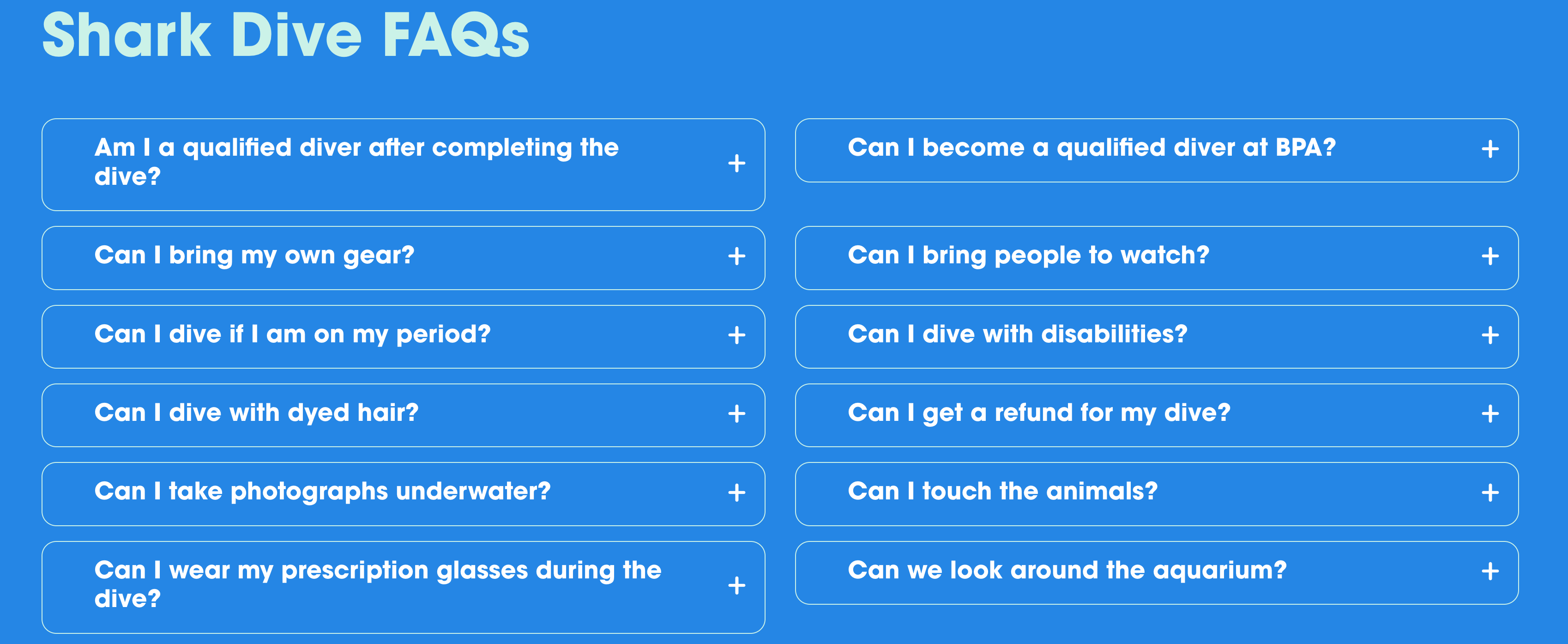
Editor preview:

Benefits:
- Reusable Content: Create Shark Dive FAQ items once and use them across different pages or blocks if needed.
- Easy to Update: To change an answer, you only need to edit the single Shark Dive FAQ post, and it will update everywhere it's used.
- Organized Information: The accordion layout prevents the page from becoming too long and cluttered, providing a clean user experience.
- Topic-Specific: Allows you to curate a specific list of Shark Dive FAQs for a particular topic, like shark dives, without mixing them with general site FAQs.
Conclusion:
The Shark Dive FAQs Block is an efficient and user-friendly way to present specific, need-to-know information. By separating content management from the page layout, it allows for easy updates and ensures a consistent, organized presentation for your visitors.